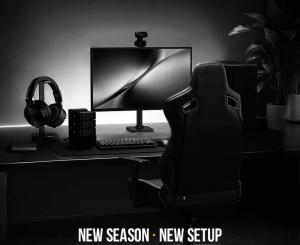
Kaiser 4 with Monitor Arm and Desk
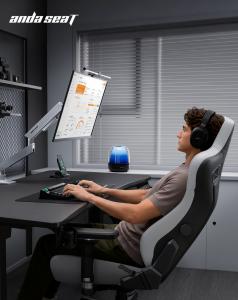
Kaiser 4 with Monitor Arm and Xtreme
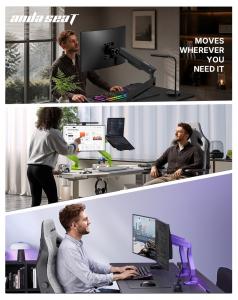
AndaSeat Reveals Unified Back-to-School Workspace as Student Device Collections Become More Crowded
SPOKANE, WA, UNITED STATES, August 22, 2026 /EINPresswire.com/ — The Kaiser 4 Series, Xtreme standing desk and Axis monitor arm are offered as three independently adjustable elements for seating support, work-surface positioning and display placement
AndaSeat is showcasing a three-piece workstation arrangement for the 2026 back-to-school season, pairing the updated Kaiser 4 Series chair, Xtreme Series standing desk and Axis Single Monitor Arm to address a mounting student setup challenge: adding more devices does not automatically produce a more organized place to use them.
Electronics remain central to this year’s back-to-school and back-to-college buying. According to the National Retail Federation’s August 4 report, devices and related accessories account for about one-quarter of college back-to-class spending. Electronics have moved from optional extras to essential student gear, and the proportion of college shoppers buying items in this category has risen significantly this year.
Higher education technology is also growing more intricate. EDUCAUSE’s 2026 Students and Technology Report describes students dealing with shifting technology requirements, AI adoption, security concerns and evolving expectations for learning and career readiness. A related webinar portrayed students as wanting more consistent tools and fewer obstacles to completing tasks.
Those reports focus on technology rather than furniture and do not assess AndaSeat products. Still, they point toward a physical issue that becomes more apparent as equipment accumulates: computers, monitors and peripherals may be bought individually, yet the desk, chair and display position still need to function as a single workstation.
AndaSeat is presenting the Kaiser 4, Xtreme and Axis combination around that integration gap.
The Weak Link Often Lies Between Products
A computer workstation is frequently assessed piece by piece.
The chair might be adjustable. The desk can change height. The monitor may have its own base. Each product can perform its claimed function on its own.
The difficulty can surface at the points where they connect.
Raising a chair may improve the user’s position relative to the keyboard but alter the monitor viewing angle. Raising a standing desk moves both keyboard and monitor together, even though they may need different final heights. A large display stand consumes work-surface depth that could otherwise hold books, a laptop or writing materials. Adding cables for monitors, chargers and peripherals can obstruct movement both below and above an adjustable desk.
OSHA’s computer-workstation guidelines treat these relationships as interdependent. Its chair guidance states that the chair should be adjusted together with the monitor, keyboard and desk, while its monitor guidance says display placement should be considered in combination with other workstation components.
The same guidelines note that limited work-surface space can push devices into awkward positions and that clutter under a desk can restrict leg clearance and chair movement.
This forms the basis for AndaSeat’s three-layer approach: Xtreme provides the work surface, Axis separates display positioning from that surface, and Kaiser 4 handles the user’s contact with the workstation.
Xtreme Provides the Work-Surface Layer
The Xtreme Series serves as the structural foundation of the setup.
Its electric lift system adjusts from 28.7 to 46.1 inches (730 to 1,170 mm) at 22 mm per second. Three memory presets allow frequently used work-surface heights to be saved via the digital control panel. The desk supports loads up to 70 kg and uses a cold-formed steel frame.
The importance of this adjustment in the three-product configuration is that the entire working level can be changed without needing to remove equipment.
Keyboard, mouse, notebook and other commonly used items remain on one platform while the desk moves between saved positions.
Xtreme also manages the lower portion of the workstation’s cable path. A steel cable-management tray provides space for power strips and excess cable length, while internal routing reduces exposed desk wiring.
This matters when several student devices share one setup. A monitor, laptop charger, phone charger, lighting device and accessories can generate more wiring than the desktop alone suggests.
Thus the desk functions as both the physical surface and the lower infrastructure layer of the system.
Axis Separates Screen Position From Desk Position
The Axis Single Monitor Arm addresses a limitation that remains even when the desk itself is adjustable.
If a monitor stays on its original base, the display moves exactly the same distance as the work surface whenever the desk rises or lowers. The relationship between screen height and keyboard height stays fixed.
Axis separates those two variables.
The arm supports 17- to 34-inch monitors weighing between 3 and 11 kg and provides tilt from -25 degrees to +90 degrees, side-to-side movement of plus or minus 90 degrees, 360-degree screen rotation and approximately 10.8 inches of vertical lift.
A mechanical spring controls vertical movement, while a one-way torque hinge is designed to resist unintended downward tilt after the display is positioned.
This allows the monitor to be fine-tuned after the Xtreme desk reaches its working height.
OSHA recommends considering viewing distance, viewing angle and monitor height together and notes that monitor support surfaces should allow users to adjust distance, tilt and rotation. It also advises providing adequate desk depth so the screen can remain at an appropriate viewing distance.
Axis also removes the original display base from the active desktop area. This can free up more room for printed materials, a laptop, keyboard or other study items.
Magnetic cable covers on both arm sections organize the final cable path between the desk and display while allowing the screen to move.
Kaiser 4 Completes the User-Support Layer
The third component of the configuration is the updated Kaiser 4 Series.
Once desk and monitor position are set, the chair manages the relationship between the user and those two layers.
Kaiser 4’s 6D armrests provide 7 cm of vertical movement, 4 cm of forward-and-back adjustment, extensive rotational positioning and a wider lateral adjustment range. These controls allow forearm support to be changed according to keyboard position, mouse use and desk height.
The chair’s upgraded lumbar system uses an elastic locking gas spring to provide a 24-degree pop-out range with any-angle locking. A separate four-way mechanism provides 76 mm of vertical adjustment and 30 mm of depth adjustment.
These mechanisms are independent.
The desk can establish the keyboard level without determining lumbar position. The monitor arm can set screen height without requiring a change to seat height. The chair can alter arm or back support without moving the display.
OSHA similarly advises that chairs, monitors, desks and input devices should be arranged together rather than optimized in isolation.
The Kaiser 4 therefore completes the workstation by addressing the human side of the interface rather than duplicating the adjustments already performed by the desk or monitor arm.
Cable Routing Becomes a System Rather Than an Afterthought
The three-product configuration also establishes a continuous approach to cable management.
Xtreme manages power strips and excess cable below the work surface. Axis manages monitor cables above it. The desk’s height movement and the arm’s display movement therefore occur within separate but connected cable zones.
This distinction is important because an adjustable workstation introduces movement in more than one direction.
The desk travels vertically. The monitor arm extends, retracts, rotates and changes height. Cables must retain enough slack for both systems without creating loose loops across the active desk surface or restricting movement beneath it.
OSHA notes that workstation components and accessories should be arranged so they do not create unnecessary obstructions or force awkward placement.
The Xtreme and Axis cable systems do not eliminate the need for correct cable lengths and safe power management. They provide defined routes for equipment that would otherwise be managed independently.
Back-to-School Setups Are Becoming Systems, Not Collections of Gear
NRF’s 2026 data shows that electronics remain one of the largest investments families make when preparing students for the academic year.
As that technology category expands, the workstation question changes.
The issue is no longer only which laptop, monitor or accessory a student owns. It is whether those devices can be positioned within a physical system that keeps the screen, input devices and body-support surfaces independently adjustable.
AndaSeat’s Kaiser 4, Xtreme and Axis configuration is designed around that separation of responsibilities.
Xtreme establishes the work surface. Axis establishes the display position. Kaiser 4 establishes seated contact and support.
The products remain independently adjustable, but their functions are complementary rather than repetitive. For device-heavy study, creative and gaming setups, AndaSeat is presenting that coordination as the central principle: a workstation should be evaluated not only by the capabilities of each component, but also by how those components operate together.
About AndaSeat
Founded in 2007, AndaSeat develops ergonomic furniture and workspace products for gaming, professional, educational and home environments. Its portfolio includes ergonomic chairs, standing desks, monitor arms and related workstation accessories.
Caroline Chen
AndaSeat
email us here
Visit us on social media:
LinkedIn
Instagram
Facebook
YouTube
TikTok
X